
Troubleshooting Mobile App Sync with Smart Washers
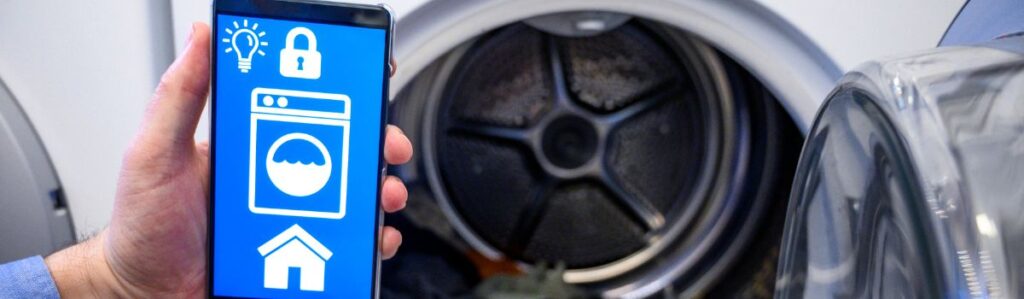
Fix App Sync Problems with Your Smart Washer Fast
Smart washers are part of daily life now, but sometimes the connection between your mobile app and the washer doesn’t work like it should. This outline walks you through simple steps to figure out why syncing isn’t happening and how to fix it without wasting time.
When your smart washer and mobile app are talking to each other, life’s easier. Remote starts, maintenance alerts, and energy tracking all happen without a second thought. But when syncing fails or you notice a washer randomly shutting off mid-cycle it’s like having a silent machine that’s ignoring your every tap. Frustrating? Absolutely.
Before diving into deep fixes, take a breath. Most sync issues boil down to something basic: a weak Wi-Fi signal, Bluetooth not turned on, or a setting that got flipped during an update. You don’t need to be a tech wizard to sort it out; just a few clear steps can get things back on track. Let’s start simple.
Check Your Wi-Fi First
Start here, seriously. If your phone or washer isn’t hooked up to the right Wi-Fi network, nothing else matters. Open your phone’s Wi-Fi settings. Is it connected? Is it the same network that your washer should be using? Some washers operate only on 2.4GHz networks, so make sure you’re not stuck on a 5GHz line.
Still nothing? Unplug your router for 10 seconds and plug it back in. Simple, but it fixes a lot of weird issues. Also, think about distance: if your washer is in the basement or back corner of the house, your signal might be too weak. Try moving your router closer or setting up a Wi-Fi extender.
Finally, check if there are too many devices hogging the network. That tablet no one uses anymore? Kill its connection for now. The fewer the devices, the stronger the signal for your sync. Wi-Fi is the backbone here; make sure it’s solid before digging deeper.
Make Sure Bluetooth or Location is On
Some smart washer apps are picky; they won’t sync unless Bluetooth or Location Services are turned on, even if you’re not near the washer. Strange, but true. So if things aren’t syncing, swipe down your phone’s settings and flip both on. Think of it as flipping switches in a cockpit before takeoff.
You might also get asked for permissions when pairing for the first time. Don’t ignore them. If you’ve already said no once, go to your phone’s app settings and double-check that it has access to both Bluetooth and Location. Most pairings fail right here because something as simple as a permission is missing.
Turn it on, give it access, and try syncing again. If the app needs more than that, it will usually tell you or freeze until it gets what it wants.
Restart and Reset
Turn both your phone and smart washer off. Yep, a classic move, but it works more often than you’d expect. Give it 10 seconds, then power both devices back on. This clears out minor glitches or connection hiccups.
Still stuck? Dig into the washer’s settings or manual and hunt for a “Reset” or “Network Reset” option. Most smart washers have one, even if it’s buried in a menu. This sets the network part of the washer back to its basic state, like giving it a clean slate to pair with the app again.
Warning: A full reset might erase saved preferences or Wi-Fi info, so only go that far if simpler steps haven’t worked. But if you’ve already tried the basics and syncing still fails, it’s worth it to start fresh.
Update Everything
Before you start tearing into settings or blaming the washer, take a minute to check for updates. Open your app store and see if the mobile app has a new version smart appliance apps get bug fixes often, and outdated software is one of the most common reasons sync fails. Don’t stop there, though. Go into your phone’s system settings and make sure its operating system is up to date too. Old OS versions can mess with connectivity features like Bluetooth or Wi-Fi handoffs.
Now for the washer itself. Some models have firmware that updates automatically through the app. Others might need you to start the update manually in your appliance settings. If you haven’t checked in a while, open the app, connect to the washer (if possible), and look for a firmware or software update option. It’s quick, and it might clear up the problem immediately.
Clear the App Cache or Reinstall It
Sometimes an app gets weird. It happens. If you’re stuck and nothing else has worked, clearing the app cache or reinstalling the app can do wonders especially if the sync used to work and suddenly stopped.
If you’re on Android, head into your phone’s settings, find the app (usually under Apps > [Your Washer App Name]), and hit “Clear Cache.” Don’t confuse this with “Clear Data,” which’ll wipe your login and preferences.
Still not syncing? Time to uninstall and reinstall the app completely. Before you do, double-check that you know your login credentials or have them saved somewhere. Once you reinstall, open the app fresh and go through the setup again as if you’re connecting the washer for the first time.
Reinstalling gives the app a clean slate. And in a lot of cases, it’s the fastest shortcut back to functionality, especially after an app or phone update.
Confirm App Compatibility
Before diving deeper into obscure fixes, it’s worth pausing and checking a simple question: is your phone actually compatible with the app? Sounds basic, but it’s an easy thing to overlook, especially if your device is a few years old or the app just got a big update.
Start by heading to the app’s page in the App Store or Google Play. Most manufacturers list minimum requirements somewhere on that page. Look for mentions of required OS versions (like Android 10 or iOS 14+) and supported devices. If you’re running an older phone or tablet, that might be why syncing flat-out refuses to work.
Also, not every phone model plays nicely with every app. If you’re unsure, try installing the app on a different phone, maybe a newer one and attempt the setup again. If it works there, you’ve narrowed the problem down. It’s not your washer. It’s your device. From there, you can update your current phone (if possible) or reach out to the manufacturer to confirm support.
No need to guess check the facts first. It’ll save you a lot of headbanging.
Troubleshoot Account or Login Problems
Before you start blaming the hardware, check your login. Seriously. A lot of sync failures boil down to a simple sign-in issue. Ensure you’re logged into the app and double-check that your username and password are correct. Typos happen to the best of us.
Using a shared washer in a household? Make sure the account that the washer is connected to is the one you’re using. Some apps don’t play nice when more than one person tries to control the same machine, especially if user permissions or access roles are involved.
Also, be aware of auto-logout. If there’s been a recent update to the app or your phone’s software, you might’ve been signed out without realizing it. Log out and log back in again sometimes, that’s all it takes to force a proper re-sync.
Finally, if you’ve just created your account or recently changed your password, don’t assume everything synced up cleanly. In some cases, logging out completely and logging back in resets the app’s handshake with the machine. It’s basic, but it works.
Look for Interference or Conflicts
Sometimes the real enemy isn’t your washer or your phone, it’s the stuff around them. Other smart gadgets, especially the ones hogging your Wi-Fi signal, can mess with your washer’s ability to stay synced. Think baby monitors, old routers, or even that microwave that kicks on at dinnertime. If your washer keeps dropping off the radar, try using fewer Wi-Fi devices at once. Turn off unused tablets or unplug smart assistants you don’t need active during the setup.
Also, stay aware of physical barriers. Thick walls, metal appliances, and even fish tanks (seriously) can make a signal drop off fast. Sync your washer in a clearer signal zone if you can, then move things around if needed. It doesn’t have to be fancy, just fewer distractions between your router and the washer. Sometimes creating space is all it takes.
Try a Wired or Manual Setup (if available)
Sometimes, tech just doesn’t cooperate. When wireless syncing keeps falling on its face, it’s worth checking whether your washer offers a wired or manual connection method. A few models still include physical sync options, usually involving a setup code or pressing a pairing button directly on the washer.
Crack open that dusty manual (or download it online) and look for anything like “manual pairing” or “direct connect.” You might see instructions to enter a code shown on the washer into the mobile app, or vice versa. Some will bypass Wi-Fi entirely and just use Bluetooth for the initial handshake.
Yeah, it’s old-school. But if you’ve tried everything else, this could be the reset your smart washer and app need to learn how to talk to each other again.
Besides, pushing a button is faster than spending another hour yelling at your Wi-Fi.
Contact Manufacturer Support If Needed
If none of the earlier steps get your app and washer talking again, it’s time to bring in backup. Reach out to the manufacturer’s support team not because you can’t handle it, but because sometimes the problem’s on their end.
Prepare Before You Contact Support
Before you call or start a chat, make sure you have the following handy:
- Model number of your washer
- App version currently installed
- Screenshots of any error messages (if possible)
The more information you provide up front, the faster they can help you troubleshoot effectively.
During the Support Call
Don’t be surprised if they ask you to:
- Repeat steps you’ve already tried
- Restart or reset everything again
- Check connections and app permissions
It’s all part of their process; they’re ruling out common issues methodically.
Why It’s Worth Reaching Out
Support teams can often uncover problems you can’t fix on your own, such as:
- Firmware bugs
- Server-side issues
- Known glitches with available patches
- Device compatibility problems
Wrap-Up
Before you start imagining your washer is haunted, run through the basics one more time. Is the Wi-Fi solid? Bluetooth or Location turned on (even temporarily)? App and phone updated? Have you rebooted the washer, the phone, the planet? Seriously nine times out of ten, it’s something small.
Keep your app and phone software updated regularly. It’s one of those boring chores that saves you from frustrating ones later. Smart washers work best when everything else is smart too, your network, your updates, your habits.
Syncing helps your washer stay helpful, sending you alerts, status updates, and even diagnostics. When the connection works, so does your laundry routine. Consistency beats complexity. Stick to the checklist and you’ll likely never have to call support.