
How to Install a Smart Dishwasher & Connect to Wi-Fi
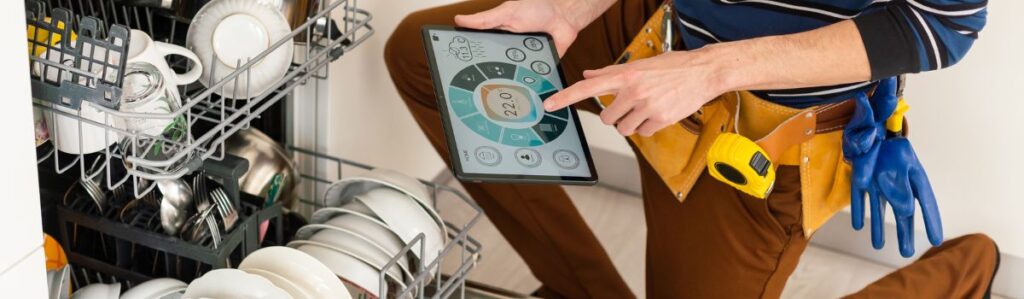
What Is a Smart Dishwasher & How Does Wi-Fi Help?
Smart dishwashers are modern kitchen appliances designed to make dishwashing easier. Unlike regular dishwashers, they connect to Wi-Fi, allowing you to control them from your phone. With a smart dishwasher, you can start or stop a cycle remotely, receive alerts when your dishes are done, and use voice assistants like Alexa or Google Assistant to operate it with simple voice commands.
Having Wi-Fi connectivity also helps track energy and water use, making it easier to cut down on bills and be more environmentally friendly. Maintenance tips can help keep your smart dishwasher running efficiently. Some brands even offer remote troubleshooting, meaning a technician can diagnose problems without coming to your home.
This guide will cover everything you need to know about installing a smart dishwasher and connecting it to Wi-Fi so you can get the most out of your appliance.
Getting Ready for Installation
Check If Your Dishwasher Supports Wi-Fi
Before installing, make sure your dishwasher has smart features. Some models have Wi-Fi built-in, while others need an extra module to enable smart functions. You can check this by looking at the instruction manual or searching the manufacturer’s website.
It’s also important to check your home’s Wi-Fi setup. Most smart dishwashers only work with 2.4 GHz Wi-Fi, which covers more area than 5 GHz Wi-Fi but may be slower. You might need to change the settings if your router is set to 5 GHz only. Some dishwashers also require Bluetooth pairing before Wi-Fi setup, so keep Bluetooth turned on during installation.
Before you begin, check for firmware updates for your dishwasher. These updates improve connectivity and security and even add new features. Doing this early can prevent problems later.
Gather the Tools You Need
Having the right tools ready will make installation faster and easier. Here’s what you’ll need:
- Screwdrivers (Phillips and flat-head) – For securing brackets and panels.
- Adjustable wrench – For tightening the water supply connection.
- Level – To make sure the dishwasher is properly aligned.
- Hose clamps – To hold the drain hose in place.
- Power cord – If your dishwasher doesn’t have a direct electrical connection.
- Teflon tape – To prevent leaks in the water supply line.
- Bucket & towels – To catch any spills during installation.
Safety Tip: Always turn off the water and power supply before installing to avoid leaks or electrical hazards.
Read the Manufacturer’s Instructions
While most dishwashers follow similar installation steps, each brand has unique requirements. For example, Bosch and Samsung dishwashers might have different drain hose setups compared to GE or LG models. Also, each brand has its way of setting up Wi-Fi.
Take a few minutes to read the manual that came with your dishwasher. Many manufacturers also have step-by-step installation videos online, which can be helpful.
Installing Your Smart Dishwasher
Position the Dishwasher in the Right Spot
Your dishwasher needs to be placed on a level surface to work properly. If it’s not level, water might not drain correctly, leading to bad smells and mould growth inside the dishwasher.
Ensure enough space between the dishwasher and nearby cabinets or walls. The door should open fully without hitting anything, making loading and unloading dishes easy. Also, check that the water and drain hoses can be positioned without getting pinched or bent.
Connect the Water Supply
To prevent leaks, properly securing the water inlet hose is important. Follow these steps:
- Connect one end of the hose to the dishwasher’s water inlet valve.
- Attach the other end to your home’s water supply line.
- Wrap Teflon tape around the threads before tightening to stop leaks.
- Slowly turn on the water supply and check for drips before moving forward.
Some dishwashers include an anti-flood system, which automatically shuts off the water if a leak is detected. If your model has this, be sure to activate it.
Set Up the Drain Hose
The drain hose carries out dirty water, so it needs to be installed correctly to prevent backflow (when dirty water flows back into the dishwasher). There are two common methods:
- Air Gap Method: This is the best way to prevent contamination. It uses a small device on the sink or countertop to keep clean and dirty water separate.
- High Loop Method: If an air gap isn’t available, attach the drain hose in a high loop under the sink to help prevent wastewater from flowing back into the dishwasher.
Connect the Dishwasher to Power
Your smart dishwasher needs a stable power connection to work properly. Some models come with a plug, while others need to be hardwired. If yours is hardwired:
- Turn off the power at the circuit breaker.
- Match the dishwasher wires to your home’s electrical wires (black to black, white to white, and green to ground).
- Secure the connections using wire nuts and electrical tape.
Secure the Dishwasher
Once everything is connected, secure the dishwasher to the cabinets using the mounting brackets that came with it. If necessary, adjust the legs to check that the dishwasher is level. If it’s not level, it could cause water leaks or drainage problems.
Connecting the Dishwasher to Wi-Fi
Sure Your Wi-Fi Is Compatible
Most smart dishwashers work only with 2.4 GHz Wi-Fi, not 5 GHz. If you have trouble connecting, try moving your router closer or using a Wi-Fi extender.
Download the Dishwasher’s App
Each brand has a different app for smart control. Download the app that matches your dishwasher:
- SmartHQ (GE, Haier)
- Home Connect (Bosch, Siemens)
- Samsung SmartThings (Samsung)
- ThinQ (LG)
Put the Dishwasher in Wi-Fi Pairing Mode
To connect, the dishwasher must be in Wi-Fi pairing mode. Some models have a Wi-Fi button, while others use a QR code you scan with the app. Follow the app’s instructions carefully.
Complete the Connection
Once pairing mode is activated, follow the app’s steps to connect your dishwasher to your home Wi-Fi. If successful, the dishwasher should appear in the app.
Customizing Smart Dishwasher Features
Explore Smart Functions
Many smart dishwashers have advanced features, including:
- Remote start & stop – Control cycles from your phone.
- Cycle notifications – Get alerts when a wash is done.
- Energy tracking – See how much water and power is used.
Adjust Wash Settings
Using the app, you can change:
- Water temperature
- Cycle time
- Drying options
Set Up Alerts
Enable notifications for:
- Water leaks
- Filter cleaning reminders
- Cycle completion
Conclusion
After these steps, your smart dishwasher should be fully installed and connected to Wi-Fi. Now, you can enjoy features like remote control, custom wash settings, and smart alerts, which make dishwashing easier and more efficient.