
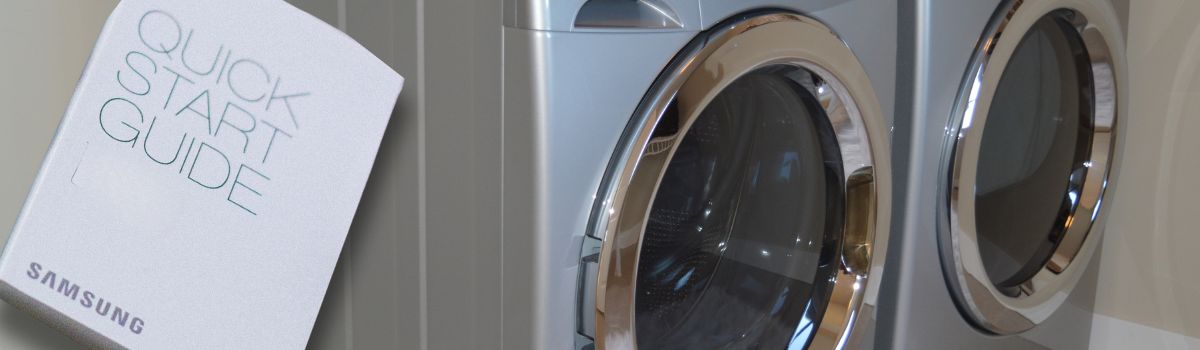
Fixing Samsung Dryers: A Handy Guide for Surrey Homeowners
Samsung dryers are a popular choice among Surrey homeowners due to their advanced features, energy efficiency, and sleek design. Known for reliable performance and innovative technology, these dryers make laundry tasks easier and more efficient. Many households also rely on Surrey appliance repair services to keep their dryers in top condition.
Regular maintenance and timely repairs are crucial to keep your Samsung dryer running smoothly. Proper upkeep helps prevent breakdowns, extends the appliance’s lifespan, and ensures optimal drying performance. Ignoring small issues can lead to costly repairs or even the need for a full replacement.
When attempting any repairs on your Samsung dryer, safety should be your top priority. Always unplug the dryer before starting any work to avoid electrical hazards. Use appropriate tools and follow manufacturer guidelines carefully. If you are unsure about any repair process, it is best to consult a professional technician to prevent accidents or further damage.
Understanding Your Samsung Dryer
A Samsung dryer consists of several basic components that work together to dry your clothes efficiently. The main parts include the drum, where clothes are tumbled; the heating element, which generates the heat necessary for drying; the blower fan, which circulates air through the drum; the moisture sensor, which detects when clothes are dry; and the control panel, which allows you to select drying cycles and settings.
In Surrey homes, some of the most common Samsung dryer models include the Samsung DV45K6500EV, DV42H5000EW, and the Samsung Electric Dryer DVE45T3200W. These models are known for their advanced features such as sensor drying technology, multiple drying cycles, and energy-efficient designs.
Understanding your Samsung dryer’s user manual is crucial for proper operation and troubleshooting. The manual provides detailed instructions on how to use different drying cycles and maintain your dryer. It also explains error codes that may appear on the control panel. For example, error codes like ‘dE’ indicate a door error, while ‘5E’ points to a moisture sensor issue. Interpreting these codes correctly can help you identify problems early and avoid costly repairs. You can find more information on Samsung dryer issues and error codes.
Common Samsung Dryer Problems and How to Diagnose Them
Heating Issues
If your Samsung dryer runs but produces no heat or insufficient heat, the problem typically lies with the heating component. Common causes include a faulty heating element, thermostat failure, or a blown thermal fuse. To diagnose, first check if the dryer drum is spinning properly while running. Next, test the heating element for continuity using a multimeter. Inspect the thermostat and thermal fuse for damage or failure as these parts regulate the dryer’s temperature and safety. Replacing any defective components usually resolves heating problems.
No Power or Dryer Not Starting
When your dryer does not start or shows no power, the issue could be electrical or mechanical. Possible reasons include problems with the electrical outlet, a faulty door switch that prevents the dryer from running if the door is open, or a malfunctioning control board. Begin troubleshooting by verifying the power supply and checking the circuit breaker. Inspect the door switch for continuity and ensure it engages properly when the door closes. If these checks pass, the control board may need professional diagnosis or replacement.
Drum Not Spinning or Turning
A drum that refuses to spin can be caused by a broken belt, motor issues, or worn drum rollers. To inspect, unplug the dryer and remove the front panel. Check the belt for signs of breakage or slack; a broken belt will need replacement. Examine the motor and drum rollers for wear or damage. If the motor is not running or makes unusual noises, it might be faulty. Replacing worn rollers and belts usually restores drum movement.
Excessive Noise or Unusual Sounds
Unusual noises during dryer operation often indicate worn bearings, loose parts, or foreign objects caught inside the drum or blower wheel. To address this, unplug the dryer and inspect the drum bearings and rollers for wear or damage. Tighten any loose screws or components. Remove any lint build-up or foreign objects that may have fallen inside. Regular maintenance can reduce noise and prolong dryer life.
Odors and Lint Problems
Persistent odors often stem from mold growth or excessive lint buildup inside the dryer. Mold thrives in damp environments, so ensure the dryer interior and door seals are clean and dry. Lint accumulation not only causes odors but can also reduce airflow, leading to lint on clothes. Poor airflow is usually due to clogged vents or filters. Regularly clean lint screens and inspect vent ducts for blockages to maintain proper airflow and eliminate unpleasant smells.
Error Codes and What They Mean
Samsung dryers display error codes to indicate specific problems. Common codes include those for heating faults, sensor errors, or motor issues. Refer to your dryer’s manual or trusted online resources to interpret these codes. Responding appropriately might involve resetting the dryer, cleaning sensors, or contacting a professional for complex repairs. Understanding error messages helps in diagnosing issues quickly and efficiently.
Maintenance for Longevity and Efficiency
Cleaning the Lint Screen and Trap
Regularly cleaning the lint screen and trap is crucial for maintaining your Samsung dryer’s efficiency and safety. Lint buildup restricts airflow, causing longer drying times and increasing the risk of fire. To clean, remove the lint screen located inside the dryer door, and carefully pull off accumulated lint. Wash the screen with warm water and mild soap if necessary, then allow it to dry completely before reinserting. Repeat this process after every drying cycle to ensure optimal performance.
Inspecting and Cleaning the Ventilation System
Clogged vents and ducts can severely affect your dryer’s performance and pose significant safety hazards like overheating and fires. It’s important to inspect and clean the exhaust vents and ducts regularly. Disconnect the dryer from power, then detach the vent hose from the back of the machine. Use a vacuum or a long brush specifically designed for dryer vents to remove lint and debris from both the vent hose and the exhaust duct leading outside. Ensure the outdoor vent flap opens freely and is not blocked by debris. Cleaning the ventilation system helps maintain proper airflow and reduces drying times.
Checking Airflow and Dryer Environment
Proper dryer placement and ventilation are essential to efficient operation. Make sure your dryer is positioned in a well-ventilated area with enough space around it to allow air circulation. Avoid placing the dryer in tight closets or areas with poor airflow. Signs of airflow issues include clothes that take longer to dry, excessive heat around the dryer, or a burning smell during operation. If you notice these symptoms, inspect the lint screen, vents, and ducts for blockages and clean as needed.
Step-by-Step Repair Procedures
Replacing a Heating Element
Tools required: Screwdriver set, multimeter, nut driver, and replacement heating element.
Safety guidelines: Before starting, unplug the dryer from the power source to prevent electric shock. Wear gloves to protect your hands from sharp edges.
Replacement steps:
- Remove the dryer’s back panel using the screwdrivers.
- Locate the heating element assembly.
- Disconnect the wires attached to the heating element.
- Remove any mounting screws and carefully take out the faulty heating element.
- Install the new heating element and secure it with screws.
- Reconnect the wires to their correct terminals.
- Replace the back panel and tighten the screws.
- Plug the dryer back in and test its heating function.
Fixing a Non-Spinning Drum
Belt replacement process:
- Unplug the dryer and open the front panel.
- Remove the old drum belt by slipping it off the drum and motor pulley.
- Inspect the motor and idler pulley for any signs of wear.
- Fit the new belt around the drum and thread it through the idler pulley.
- Ensure the belt is properly aligned and has appropriate tension.
- Reassemble the front panel and plug in the dryer.
Motor troubleshooting:
- Test the motor with a multimeter for continuity to check for faults.
- Listen for unusual noises indicating motor bearing failure.
- If the motor is defective, consider replacing it as per manufacturer guidelines.
Addressing Noise Issues
Identifying faulty parts:
- Common noise causes include worn drum bearings, rollers, or idler pulleys.
- Inspect these parts for visible wear or damage.
How to replace worn bearings or rollers:
- Disconnect the dryer from power.
- Remove the drum to access bearings and rollers.
- Remove the worn bearings or rollers carefully.
- Install new parts in the correct orientation.
- Reassemble the drum and panels.
Handling Error Codes
Resetting the dryer:
- Unplug the dryer for at least one minute.
- Plug it back in and press the reset or power button to clear error codes.
When to replace control boards:
- If error codes persist after reset and troubleshooting, the control board might be faulty.
- Signs include unresponsive controls or error codes indicating electronic failure.
- Replace the control board following manufacturer instructions or professional service.
Cost Estimates and When to Seek Professional Help
When it comes to repairing your Samsung dryer, understanding typical repair costs can help you make informed decisions. Common parts such as heating elements, thermostats, and belts usually have repair costs ranging from $100 to $300, depending on the extent of the issue and labor fees. For example, replacing a heating element might cost around $150, while fixing a thermostat could be slightly less expensive.
However, some situations indicate that a repair might be beyond a simple DIY fix. If your dryer is making unusual noises, failing to start consistently, exhibiting electrical issues, or if multiple components seem to be malfunctioning at once, it’s best to call a professional. Additionally, complex problems involving the dryer’s control board or wiring should be handled by experienced technicians to avoid safety risks and further damage.
For Surrey homeowners, finding reliable Samsung dryer repair services is crucial. Look for local repair companies with positive reviews, proper certifications, and experience specifically with Samsung appliances. Many providers offer diagnostic services, warranties on repairs, and clear pricing upfront. Choosing a trusted professional ensures your dryer is repaired safely and efficiently, restoring its performance and extending its lifespan.
Energy Efficiency and Eco-Friendly Practices
Maintaining your Samsung dryer regularly is key to improving its energy efficiency. When your dryer is clean and well-maintained, it operates more effectively, uses less energy, and dries clothes faster. For example, cleaning the lint filter after every load ensures proper airflow, reducing the drying time and energy consumption. Additionally, checking and cleaning the vent hose prevents blockages that can cause the dryer to work harder and use more electricity.
To further reduce your dryer’s energy consumption, consider these practical tips:
- Use sensor drying settings: Many Samsung dryers come with moisture sensors that automatically stop the cycle when clothes are dry, preventing over-drying and saving energy.
- Dry full loads: Running your dryer with full loads maximizes energy efficiency, but avoid overloading as it can increase drying time.
- Opt for lower heat settings: When appropriate, use lower heat settings to conserve energy and protect your clothes.
- Air-dry when possible: For lightly damp clothes or delicate items, air drying can save significant energy.
By combining regular maintenance with these energy-saving practices, you can lower your energy bills and reduce your environmental impact while keeping your Samsung dryer running smoothly.
FAQs for Surrey Homeowners
While it might be tempting to use non-Samsung parts for repairs due to cost or availability, it is generally recommended to use genuine Samsung parts. Authentic parts ensure compatibility, maintain the dryer’s performance, and help avoid potential damage. Using non-Samsung parts may void your warranty and could lead to further issues down the line.
Cleaning your dryer vent regularly is crucial for safety and efficiency. For most households in Surrey, it is advisable to clean the vent at least once a year. However, if you use your dryer heavily, consider cleaning it every six months. A clogged vent can cause longer drying times, increased energy usage, and pose a fire risk.
Conclusion
Maintaining your Samsung dryer in good working condition is essential for its longevity and optimal performance. Regular troubleshooting and basic maintenance, such as cleaning the lint filter, checking venting systems, and inspecting electrical connections, can prevent many common issues. When problems arise, knowing how to identify symptoms and perform timely repairs can save you from costly service calls.
Consistent upkeep not only extends the life of your appliance but also ensures energy efficiency and safety in your home. Addressing small issues early on helps avoid major breakdowns and keeps your dryer running smoothly.
For further assistance, Surrey homeowners can consult Samsung’s official support resources, authorized repair centers, and trusted parts suppliers. Having access to genuine parts and expert advice will make repairs more straightforward and reliable.
This comprehensive guide integrates insights from multiple expert sources to empower Surrey homeowners in maintaining and repairing their Samsung dryers effectively.