
Resetting a Dishwasher After Drainage Error
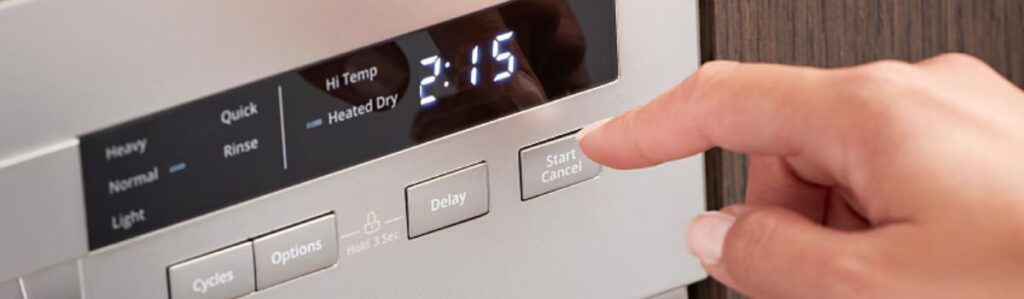
How To Reset Your Dishwasher After a Drainage Error
Before you dive into resets and button combos, take a breath and do a basic inspection. That drainage error might be more about gunk than glitches.
Start by cutting the power. Unplug the unit or flip the breaker off. You want a dead dishwasher, no lights, no hum for safety and a clean start. If the issue keeps popping up, an obstructed inlet valve might also be part of the drama.
Now open it up. Check the drain hose: is it kinked like a bent straw or clogged with buildup? Any sharp bends or visible goo means the water isn’t getting out. Straighten it. Clean it. Make sure it’s clear end-to-end.
Next, get down to the filter and sump area at the bottom of the tub. This is where food scraps like to party. Twist off the filter (usually it turns counter-clockwise) and rinse it under hot water. If the sump pit underneath is full of soggy noodles or glass slivers, scoop them out. Paper towel, gloved hand, whatever works.
Got a garbage disposal connected? Check that too. A blocked disposal can back up the drain line to your dishwasher like a bad traffic jam. Run it briefly and make sure that the drain is flowing.
If everything looks clear and unclogged, you’re ready to reset. If not, keep digging. Most issues that trigger a drainage fault originate from these small, often overlooked areas.
How to Do a Basic Reset
Before you dive into anything complicated or call in backup, try this simple reset. It clears out momentary glitches and often brings the dishwasher back to life.
Start by unplugging the unit or flipping the circuit breaker off. Don’t rush it, wait at least five full minutes. This allows the dishwasher’s control board to power down and reset any stuck operations completely.
Next, plug it back in or turn the breaker on. No need to hold down buttons, just power it up.
Once it’s back on, run a quick or rinse-only cycle. This is your test run. If the error code’s gone and the water drains properly, you’re back in business.
Still seeing the error? No problem we’ll get deeper in the next section. But try the reset first. It’s quick and surprisingly effective.
Model-Specific Reset Steps (Some Common Ones)
Not all dishwashers speak the same error language, and the way to “calm them down” varies by brand. Here’s your cheat sheet:
- General Electric (GE): Hit the Start/Reset button once. Close the door. Wait about 2 minutes. If you hear it draining or humming, it’s trying to reset.
- Bosch: Press and hold the Start button for 3 to 5 seconds. That’s all it usually takes. You might see lights flash or hear the drainage kick in.
- Whirlpool: Tap the Cancel button to stop what it’s doing, then select a cycle and press Start, kind of like rebooting a cranky laptop.
- Maytag/KitchenAid: Look for a Cancel/Drain button and press it. This tells the dishwasher to pump out water and reset its brain.
If your dishwasher isn’t one of those makes or if the above doesn’t do the trick, grab the manual. Can’t find it? Look up your model number online. Manufacturers sometimes sneak in button combos like you’re entering a secret passcode. (Think: Pressing Heated Dry followed by Normal, twice.)
Common Causes of Drainage Errors
The usual culprits behind a drainage error include:
- Clogged filters – Food particles and debris often build up over time
- Blocked or kinked hose – A common, easily overlooked problem
- Malfunctioning drain pump – The pump might be failing or jammed
- Faulty sensor – Sometimes the machine mistakenly thinks there’s a problem when there isn’t
If your dishwasher stops mid-cycle or flashes lights in a mysterious pattern, it may have run into one of these issues and shut down to prevent flooding.
Why Resetting Helps
Here’s the part a lot of people miss:
Many of these issues might be temporary.
Some examples include:
- A filter jammed with food scraps
- A temporary backup in the garbage disposal
- A one-time sensor glitch
In these cases, resetting the dishwasher essentially giving it a clean slate can:
- Clear the error
- Restart the cycle
- Prevent unnecessary disassembly
It won’t fix mechanical damage, but sometimes a reset is all the dishwasher needs to get back on track.
If the Error Comes Back
Alright, so you did the reset dance and the error’s still flashing or worse, your washer sounds like it’s about to launch into low orbit. This is your cue to dig deeper.
Start with the drain path. Just because you cleaned the filter once doesn’t mean the clog is gone. Food gunk, broken glass, or even a stray popcorn kernel can hang out in the drain pump like unwanted guests.
Take a flashlight and look inside the sump area where the water pools. Feel around (carefully) and pull out any built-up debris. Got a wet/dry vac? This is its time to shine. Use it to suck water out of the bottom of the tub it may help pull out a hidden clog, too.
Now, close up and power the unit on. When you start a cycle, listen. Can you hear the pump kick on? It should make a steady hum or whirring sound near the start. If it’s silent or just clicks, that’s not a good sign; the motor might be stuck or blown. But if it sounds normal and there’s still no drainage, then you’re staring down a blockage somewhere past the pump, probably in the line out to the sink.
At this point, you’re either clearing hoses or prepping to call someone in. Don’t worry, we’ll help you figure out which one in the next section.
What You Can Handle vs. What Needs a Technician
Here’s the line between DIY territory and when it’s time to call in a pro.
What You Can Handle
You can absolutely tackle the basics. These simple checks don’t require fancy tools just a flashlight and some paper towels:
- Clear food debris from the dishwasher filter
- Check for kinks in the drain hose
- Reset the dishwasher to clear temporary errors
If it’s a one-time error and the machine goes back to normal after a reset, you’re in the clear. Rule of Thumb
- If it’s visible, reachable, and doesn’t spark when you touch it, it’s probably okay to DIY.
- If it means removing the base plate or digging into the control panel, it’s time to call a technician.
When in doubt, safety (and your wallet) win out.
Keeping This from Happening Again
No one enjoys bailing out a tub of murky dishwasher water at 10 p.m. That’s the kind of fun we’re trying to prevent. The good news? Avoiding drainage errors is mostly about small habits and five-minute jobs.
Regular Maintenance Tips
Clean the Filter Weekly
Think of it like clearing the lint trap on a dryer. Skip it, and you’re asking for trouble.
How to do it:
- Pop it out
- Rinse under hot water
- Scrape off any gunk
Rinse Large Food Scraps
Stop feeding your dishwasher whole meals.
- No need to pre-wash like it’s the ’90s
- Remove chunks of food like spaghetti or lemon rinds before loading
Run a Monthly Vinegar Rinse
Show your dishwasher some love.
What you’ll need: 1 cup of white vinegar
How to do it:
- Place vinegar in a bowl on the top rack
- Run a hot cycle
- Helps clear out grease, odours, and small debris
Check the Drain Hose Occasionally
A quick check can prevent big issues.
Pull the unit out and inspect the drain hose
Make sure it:
- Loops upward at the back to prevent backflow
- Isn’t crushed or pinched behind the cabinet
Wrapping It up
A drainage error can feel like your dishwasher’s waving a white flag, but it’s usually just asking for a reset. Most issues can be addressed with a few simple steps.
Most dishwasher drainage problems are fixable without a service visit. With a few habits and quick fixes, you can keep your dishwasher running smoothly and avoid extra repair costs. Your appliance (and wallet) will thank you.