
Smart Oven Safety Tips You Should Know
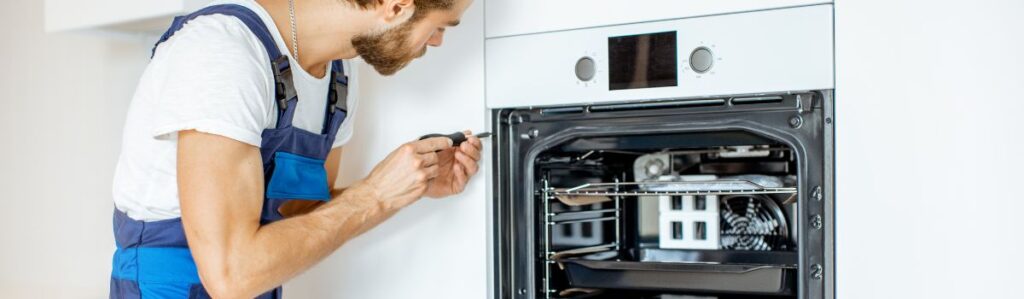
Stay Safe in the Kitchen: Smart Oven Safety Tips You Need to Know
Before you preheat your first pizza or program a custom roast, do yourself a favor: read the manual. Yes, it’s boring. But every smart oven has its quirks, and assuming it works just like your last one invites misfires, literal and figurative.
Next, check your power situation. Smart ovens often require a dedicated outlet with a specific voltage. Plugging yours into a random kitchen outlet may work for a while. Until it doesn’t. Best to avoid tripping breakers or, worse, risking internal damage. Smart oven wifi repair might sound like a futuristic issue, but connectivity problems can happen if the power supply isn’t stable or consistent.
Finally, where you place your oven matters. Make sure it’s sitting flat on a stable, heat-safe surface. A wobbly countertop or uneven stand isn’t just annoying, it can cause poor cooking performance or even tip-over accidents. Level it out, lock it in, and get ready to cook smarter, not riskier.
Keep It Clean
This isn’t about keeping up appearances, it’s about safety. A layer of old grease or a forgotten chunk of last week’s dinner can flare up fast. So wipe things down regularly. Focus on the cooking interior, the crumb tray (if there is one), and any drip pans.
Check the vents, too. These ovens aren’t just hot boxes; they need airflow. Blocked vents can mean overheating or system malfunctions, and suddenly, your smart oven isn’t so smart anymore.
Skip the bleach and mystery sprays. Harsh chemicals can damage sensors or leave behind fumes that don’t belong near your food. Stick to what the manual suggests, or try a simple combo of vinegar and baking soda. In most cases, a damp cloth and a little consistency go a long way.
Use Smart Features Wisely
Smart ovens come packed with digital bells and whistles, but they’re only helpful if you use them smartly.
Start with alerts and timers. Most models can send a notification to your phone when preheating is complete or the food is ready. Set them up. Use them. They’re more reliable than your memory when you get distracted three tabs into a streaming rabbit hole.
Remote access is great. You’re at the store and want dinner halfway done when you get home? Cool. But treat it as a bonus, not a crutch. You still need to physically check the oven to make sure there’s no stray foil or forgotten pan. Don’t rely on an app to babysit an appliance that gets hotter than your car in August.
Firmware updates might feel like a tech thing you’d rather skip, but don’t. The smallest patch could tighten up temperature control or fix a glitch that’s been quietly putting your toast at risk. Keep your oven updated, just like you do with your phone.
Don’t Overload or Overcrowd
Your smart oven isn’t a storage shelf; don’t treat it like one. Proper usage helps ensure safety and better cooking results. Here’s how to avoid overloading and overcrowding:
Keep the Top Clear
Avoid placing items on top of the oven, especially while it’s in use. Common items to avoid include:
- Pans
- Cutting boards
- Phones or other electronics
Why?
- The oven gets hot, and placing items on top can be a fire hazard.
- Vents can become blocked, which may cause the unit to overheat or shut down unexpectedly.
Avoid Overstuffing Inside
Cramming too much food into your oven is a recipe for uneven cooking.
What can go wrong?
- Restricted airflow
- Inconsistent temperatures
- Undercooked or burnt meals
Tips for best results:
- Use recommended dish sizes
- Ensure dishes don’t touch the oven walls (if your casserole dish grazes the sides, it’s too big)
- Give food space so heat can circulate evenly
Think of it like this: your oven needs room to breathe. Give it space, and it’ll cook like a pro.
Watch the Heat
Smart ovens get hot faster than you might be used to. So when you hit “preheat,” don’t assume you’ve got extra time to prep. Keep an eye out, especially if your oven doesn’t beep when it’s ready. Walk away for too long and you risk scorched parchment or an overheated dish.
Only use containers and cookware that are labelled oven-safe. That means no plastic, no thin glass, and no takeout boxes. Even some ceramic dishes can crack under serious heat, so double-check before sliding anything in.
And here’s a simple rule that gets overlooked: keep stuff away from hot surfaces. That includes paper towels, wooden spoons, and power cords anything that can melt, scorch, or ignite. Heat in a smart oven is focused and efficient, which is great for your food, but not so great if a kitchen towel gets too close. Stay alert and make heat safety a reflex.
Set It Up in a Safe Spot
Where you place your smart oven matters more than you might think. First, keep it far from anything wet. Avoid placing it on countertops next to the sink and in areas where water could splash or pool. Moisture and electronics don’t mix, and that’s a shortcut to damage or even short circuits.
Next, give it breathing room. These ovens require airflow, so avoid placing them in tight corners or under shelves. If your manual says to leave three inches of space on all sides, give it that space. Heat needs a way out, and stuffing the unit into a cramped nook just traps the heat, and that’s risky.
Also, be smart about what it’s sitting on. Some people place their ovens on top of mini fridges or wooden carts. That’s fine if the surface is heat-resistant and super stable. Wobbling is a no-go. And skip surfaces that can’t handle a bit of residual heat. If it feels sketchy, it probably is.
Get Familiar with Built-In Safety Features
Your smart oven probably does more than just roast a perfect chicken. Most come loaded with safety tools if you know how to use them.
Start with auto shut-off. This feature cuts the power if you forget dinner in the oven or lose track of time. Set it up once, and it’ll have your back when life gets distracting. The same goes for temperature limiters; they stop the oven from overheating if it starts to overheat.
Child lock is another essential. Whether you’ve got toddlers or curious guests, use it. A couple of button presses can keep small fingers from accidentally starting a cooking cycle or changing settings.
Some models go further with emergency shutoff options. Take five minutes to learn how they work before you need them. You don’t want to fumble through a manual while something’s smoking.
Stay Close During Use
Here’s the deal: just because your oven connects to Wi-Fi doesn’t mean you can walk away like it’s a slow-cooker. Cooking is still a hands-on activity, and smart doesn’t mean foolproof.
When your food’s in the oven, stay nearby. Sure, getting pinged on your phone when the timer’s up is helpful, but technology can lag, glitch, or flat-out miss a warning. Being a few steps away means you can see if something’s burning or boiling over in real life, not just on a screen.
Got a built-in camera? Cool. Use it. Just don’t trust it like a crystal ball. It shows you what’s happening, not what’s about to happen. Fires move fast. Ruined dinners even faster.
And while you’re hovering, stay focused. Don’t throw on a podcast, FaceTime your cousin, and try to fold laundry at the same time. Multi-tasking might seem efficient, but your kitchen isn’t the place to push your limits. Keep your attention where the heat is.
Keep It Child- and Pet-Safe
Kids and pets are curious; don’t give them a reason to learn the hard way. Make it clear that the oven, smart or not, is off-limits. Even once it’s off, surfaces can stay hot longer than you’d expect. Teach kids to keep their distance, and remind them often.
Keep the cords under control. Loose or dangling cables are invitations for tugs, trips, or unplugging mid-bake. Use cord clips or organizers to keep everything snug and out of reach.
If your smart oven sits low, such as on a counter edge or a low shelf, consider using a baby gate or a physical barrier. It’s a small move that blocks little hands or paws from getting too close when the oven’s doing its thing. Safety takes a few extra minutes, it’s worth it.
Wrap It Up the Right Way
When you’re done cooking, don’t just walk away like it’s a regular appliance. Let the oven cool completely before touching, cleaning, or moving it. Smart doesn’t mean fireproof hands. If you’re not using it regularly, unplug it. No reason to leave it drawing power or risking a latent electrical issue. Once a month, pop the hood, figuratively speaking. Check the cord, sniff for any unusual odours, and listen for strange noises. A smart oven works hard give it a minute of attention to keep it running safe and strong.
Final Word
Smart doesn’t mean invincible. These ovens bring convenience, but they’re still powerful machines with hot surfaces, electrical guts, and the potential to cause real harm if misused. Think of them like any other tool, just one with a touchscreen and Wi-Fi.
So, read the manual. Stay nearby while it’s cooking. Clean it out. Don’t stack laundry on it or leave it running while you’re at the store. Use the tech to your advantage, but don’t let it replace common sense.
Safety comes down to good habits. Build them now, and your smart oven will perform like a champ and never become a cautionary tale.