
Thermador Stove Keeps Beeping? Solutions to Stop It
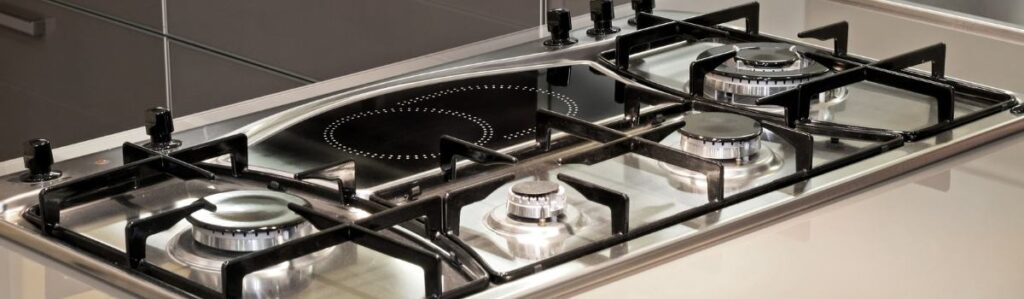
How to Fix a Beeping Thermador Stove: A Simple Guide
If your Thermador stove keeps beeping, it can be annoying. It might even stop you from cooking and leave you wondering what’s wrong. Beeping could mean something simple, like a timer alert or signal a bigger problem. Don’t worry most of these issues are easy to figure out and fix. This guide will help you understand why your stove is beeping and how to stop it.
Why Is Thermador Stove Beeping?
Normal Alerts vs. Warning Beeps
Thermador stoves beep for many reasons. Sometimes, it’s normal like when the oven finishes preheating, a timer ends, or your food is done cooking. These beeps are there to help you and are nothing to worry about.
But if your stove won’t stop beeping or the beeps seem random, it could be a warning. This might mean there’s a mechanical or electrical issue. Knowing the difference between normal and warning beeps is the first step to solving the problem.
Error Codes and What They Mean
Your stove might display an error code and beeping when there’s a serious issue. These codes give clues about what’s wrong. For example, an “F7” error could mean a button is stuck, or the control panel isn’t working properly. Make a note of any error code you see, and check your Thermador manual for more details.
Common Reasons Your Thermador Stove Keeps Beeping
The Control Board Might Be Malfunctioning
The control board is like your stove’s brain. It manages everything from the temperature to the buttons. If it’s damaged by heat or moisture, it might start acting up, causing random beeping. Other signs include buttons that don’t respond or error messages on the display.
Buttons or Touchpad Could Be Stuck
Grease, dirt, or wear and tear can make buttons stick or stop working. If the stove thinks a button is always pressed, it may keep beeping. Cleaning the touchpad or fixing the buttons can often solve this problem.
Temperature Sensor Might Be Faulty
The temperature sensor helps the oven maintain the right heat level. If broken, the sensor might send incorrect signals to the control board, causing the stove to beep. You might also notice uneven cooking or long preheating times.
Timer or Alarm Was Set by Accident
Sometimes, the problem is simple: a timer or alarm you forgot to turn off. To stop the beeping, double-check the settings and clear any active timers.
Door Lock or Latch Could Be Broken
Your stove’s safety system requires the door to be fully closed. The stove might beep to warn you if the latch is loose or broken. Check the door to make sure it’s closing properly.
Electrical Issues or Power Surges
Power surges or electrical problems can confuse the stove’s system, leading to beeping. A quick reset might fix this, but ongoing issues could mean a bigger electrical problem.
Error Codes Explain Specific Problems
Error codes can tell you exactly what’s wrong. For example:
- F7: A button is stuck, or the control panel isn’t working.
- Other Codes: Check your manual for details and solutions.
How to Stop the Beeping: Step-by-Step Solutions
Reset Your Stove
- Turn off the stove and unplug it.
- Wait five minutes.
- Plug it back in and turn it on.
- If it still beeps, move on to the next step.
Clean the Control Panel
- Use a damp, soft cloth to clean the buttons and touchpad.
- Press each button to make sure none are stuck.
- If cleaning doesn’t help, the panel might need to be replaced.
Check for Error Codes
- Look at the stove’s display for an error code.
- Check the manual to understand what the code means.
- Follow the suggested fix for that specific code.
Inspect the Door Lock and Latch
- Close the oven door firmly but gently.
- Check if the latch is broken or out of place.
- Adjust or replace the latch if needed.
Test the Temperature Sensor
- Turn off the stove and unplug it.
- Locate the sensor (usually at the back of the oven).
- Use a multimeter to test its resistance.
- Replace the sensor if the readings aren’t normal.
Review Timer and Alarm Settings
- Make sure all timers and alarms are off.
- Reset the clock if needed to clear any leftover settings.
Reset After Power Surges
- Unplug the stove for 10-15 minutes.
- Plug it back in and check if the beeping stops.
- If not, call a professional for help.
Tips to Prevent Beeping Problems
Regular Maintenance
- Clean the buttons and touchpad regularly to avoid dirt buildup.
- Inspect the door latch and temperature sensor for wear.
- Schedule a professional check-up once a year to keep everything working smoothly.
Use Your Stove Properly
- Avoid pressing buttons too hard.
- Close the oven door gently to protect the latch.
- Check timer and alarm settings before cooking to prevent unnecessary beeping.
Frequently Asked Questions
What if my Thermador stove still beeps after a reset?
Try unplugging it for a longer time (10-15 minutes). If that doesn’t work, call a technician.
Can I turn off the beeping permanently?
Some models let you adjust or mute beeping in the settings. Check your manual for details.
Why does my stove beep during preheating?
That’s normal. It’s just telling you the oven is at the right temperature. If it keeps beeping, check for errors.
What does the F7 error mean?
It usually means a button is stuck or the control panel isn’t working. Cleaning or replacing the panel should help.
How do I test the temperature sensor?
Use a multimeter to measure its resistance. If it’s outside the normal range, replace it.
Conclusion
Thermador stove beeping can be frustrating, but most problems are easy to fix. From cleaning the control panel to resetting the appliance, there are many steps you can take to stop the noise. If these solutions don’t work, don’t hesitate to call a professional. Regular maintenance and careful use can help prevent these issues, keeping your stove running smoothly for years.